Adding sounds
Adding sounds to the Ultimate Audio Manager is as easy and straightforward as it gets!
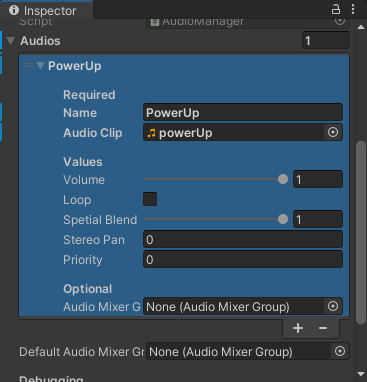
Press the + button in the Audios list to add a new Audio
(Required) Assign a Unique name, and the audio clip that will be used
(Optional) Volume, Loop, Audio Mixer Group, etc.
Then right-click on the Audios list and select Modified Component and click Apply to Prefab ‘AudioManager’
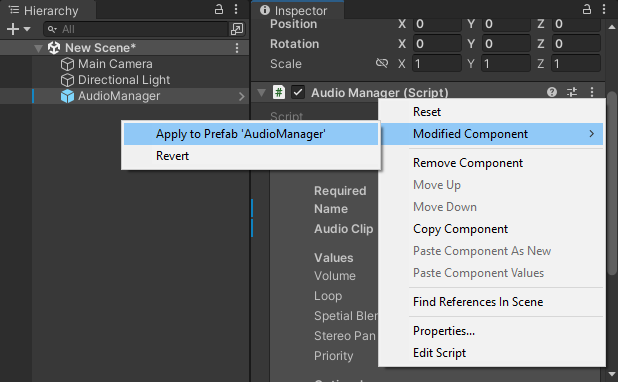
Alternatively, you can open the prefab and add, remove, or edit any of the amounts then save it
Last modified: 28 October 2023