Removing sounds
Removing sounds in the Ultimate Audio Manager is as easy and straightforward as it gets!
Select the Audio Manager prefab in the Project window
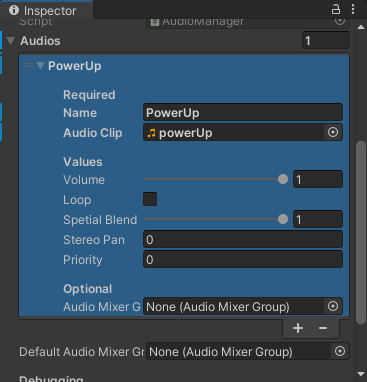
Expand the Audios List in the Inspector window
Select the audio you want to remove
Remove the element in the Audios list (By clicking the little “-” icon in the list)
Then right-click on the Audios list and select Modified Component and click Apply to Prefab ‘AudioManager’
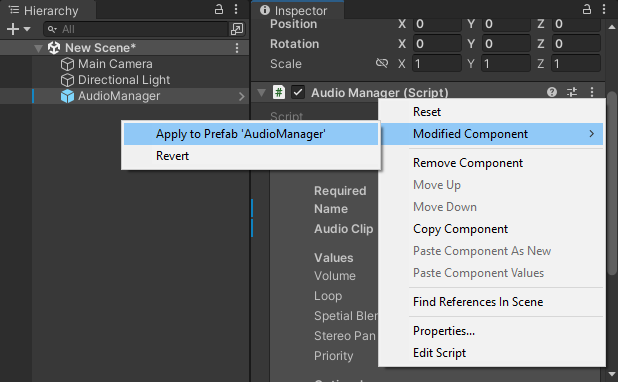
Alternatively, you can open the prefab and add, remove, or edit any of the amounts then save it
Last modified: 28 October 2023